
Telegram Bot
What Is the Telegram Bot?
@spentrip_bot turns a Telegram chat into an expense log. Send it a receipt photo, a PDF, a link to an online invoice, a voice message, or just type 18 EUR paella in Barcelona — the expense is created and filed into your trip.
It also works in group chats, which is the part worth knowing about: link a group to a trip and everyone in it can log expenses, whether or not they have a Spentrip account. For a trip where four people are splitting costs, that beats chasing receipts afterwards.
Link your account from Settings → Telegram in the app.
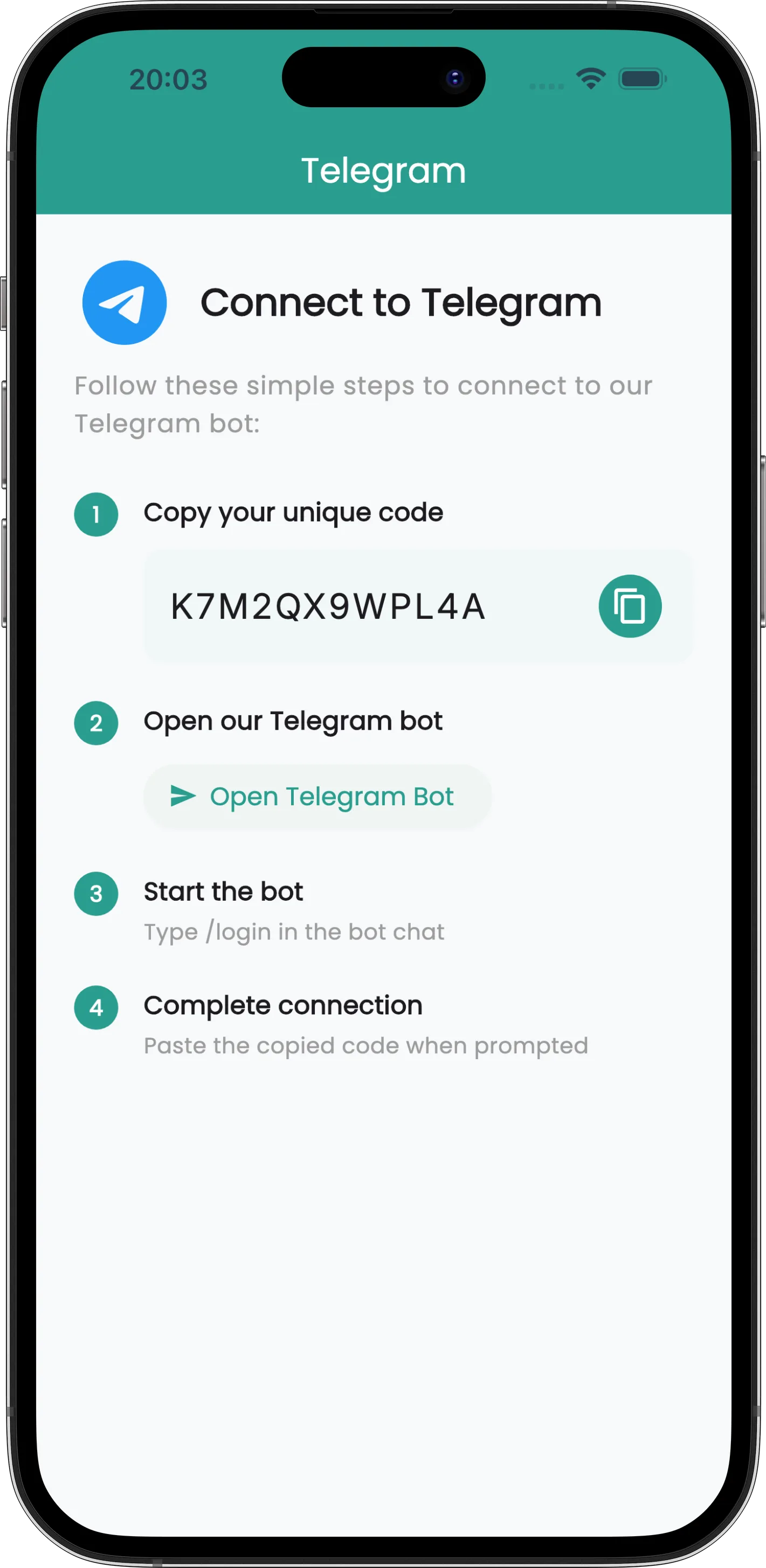
Linking Your Account
Copy Your Code
Open Settings → Telegram in the app and tap to copy your unique code.
Open the Bot
Tap Open Telegram Bot, or search for @spentrip_bot yourself.
Send /login
Type /login in the chat. The bot asks for your code.
Paste It
Paste the code when prompted and the bot confirms the link.
No account yet? Send /signup instead and the bot will walk you through creating one.
What You Can Send
Five ways to log an expense, all in the same chat:
Plain Text
Type it however you'd say it, or prefix with /add. The AI pulls out the amount, currency, and merchant.
Receipt Photos
Snap the receipt and send it. The same OCR that powers in-app scanning reads it.
- PNG and JPEG
- Merchant, amount, and date extracted
PDF Receipts
Forward the PDF invoices that hotels and airlines email you straight into the chat.
- PDF documents
- Share directly from your mail app
Receipt Links
Paste a link to an online receipt or invoice and the bot fetches it. Handy for booking confirmations that live on a web page.
- Telegram only — not available over WhatsApp
Voice Messages
Hold the mic and say it out loud. Useful when your hands are full of luggage.
Group Chats
Link a group chat to a trip and everyone in it can log expenses — no Spentrip account required for members. Only the trip owner sets this up.
Add the Bot
Add @spentrip_bot to your group the same way you'd add a person.
Send /link
The trip owner sends /link and picks which trip the group feeds.
Everyone Logs
Any member can now add expenses with /add.
- Log with a command —
/add 30 EUR taxi, or send a photo or PDF with/addin the caption - Reply to the bot — replying to any of its messages with a receipt logs that receipt
- Mention it — make the bot a group admin and you can skip the command:
@spentrip_bot 30 EUR taxi - Change or remove the link — send
/linkagain to pick a different trip or unlink the group - Subscription — group expense tracking needs an active subscription on the trip owner's account. Members need nothing
Account management stays in a direct message — /login, /unlink and friends won't run in a group.
Sending to the Right Trip
In a direct message, expenses go to your default trip unless you say otherwise. In a linked group, they go to the group's trip.
- Set a default — send
/tripto pick which trip new expenses land in - Override per expense — add
#trip:Nameto send just that one elsewhere, like15 EUR pizza #trip:Rome2026 - Tag as you go — any other hashtag becomes a tag:
4 EUR coffee #business. Tags require a subscription
Commands
- /help — the full list, any time
- /add or /log — log an expense
- /stats — spending breakdown for the trip
- /trip — choose your default trip
- /link — connect a group chat to a trip (group chats only)
- /signup and /login — create an account, or connect one you already have
- /install — a link to download the app
- /unlink — disconnect Telegram from your account
- /stop and /resume — opt out of marketing messages, or back in
Managing the Connection
Settings → Telegram shows the current state. Once linked, you'll find an Open Telegram Bot button that jumps straight to the chat, and Unlink Telegram Account to disconnect. Unlinking asks for confirmation first, and you can relink later with a fresh code.
Tips & Details
You Can Start Before You Install
Message the bot without a Spentrip account and it will still log your expenses. When you're ready, send /signup and everything you've already sent comes with you.
Free Allowance
The Telegram channel includes 10 free receipts. That allowance is counted separately from the app and from the WhatsApp bot. After that, a subscription keeps them flowing.
Supported Files
PDF, PNG, and JPEG. Anything else gets politely declined — send a photo or a link instead.
Speaks Your Language
The bot replies in English, German, Spanish, French, Italian, Polish, Portuguese, and Russian, following the language of your Telegram client.
One Telegram Account, One Spentrip Account
A Telegram account links to a single Spentrip account. To move it, unlink first, then send the new account's code.