
Know Exactly Where Your Money Goes
At the end of a trip, you look at your total spending and think, "Wow, that's more than expected. Where did it all go?" Without categories, your expense list is just a long chronological stream of numbers. You spent $2,500, but you have no idea how much went to food versus hotels versus activities. Understanding your spending patterns is impossible.
Manual categorization is tedious and inconsistent. You might tag a lunch as "Food" one day and "Dining" another, or forget to categorize expenses entirely when you're busy. After 50-100 expenses, your categories are a mess, making analysis meaningless. You need accurate categorization, but you don't want to think about it every time you log an expense.
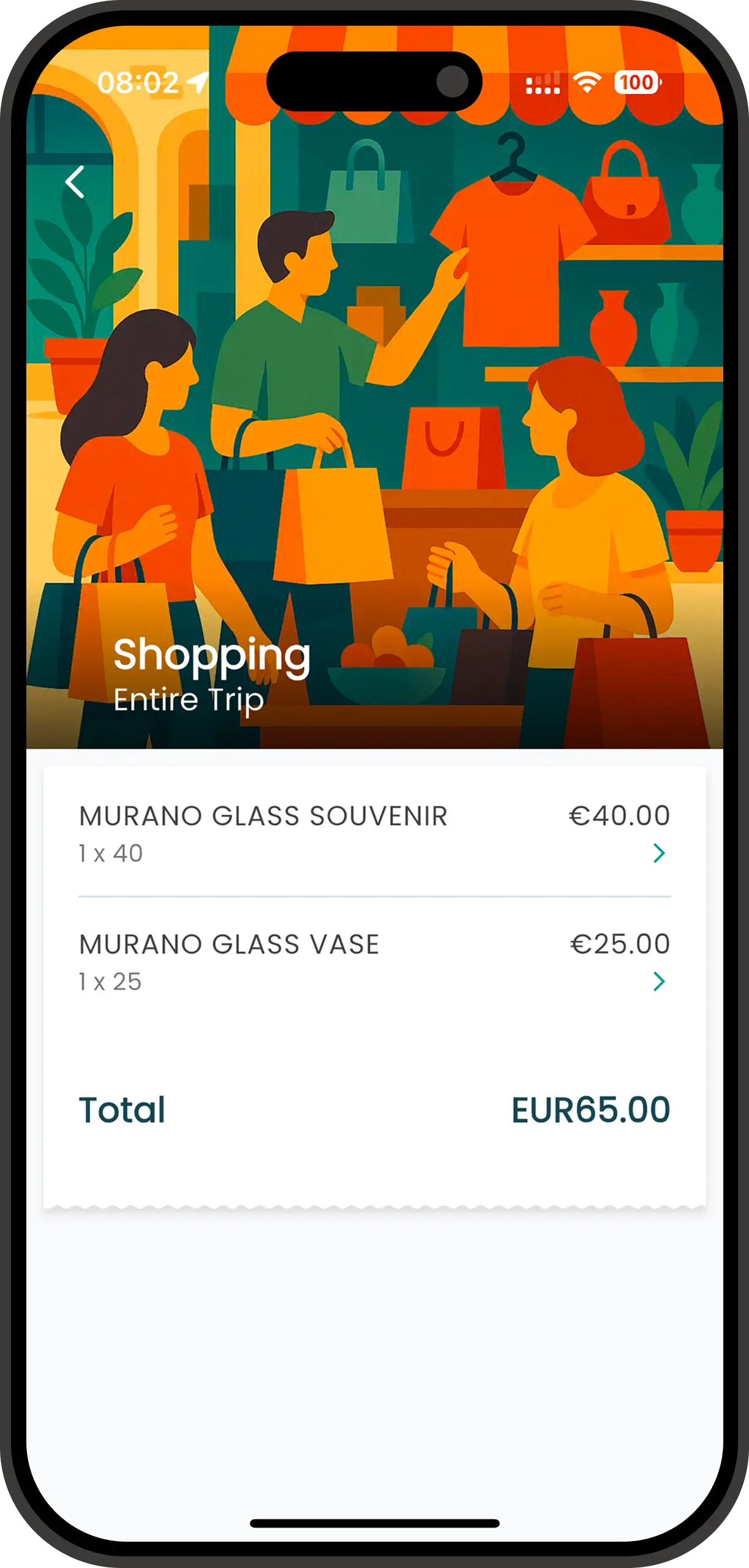
Spentrip's smart categorization solves this perfectly. The AI automatically assigns every expense to the right category — Food, Transportation, Accommodation, Activities, or Shopping — based on the merchant name and description. You can review or adjust categories if needed, but 90% of the time, the AI gets it right without any input from you. The result: perfectly organized expenses that reveal exactly where your money goes, with zero manual effort.
How Smart Categorization Works
Behind every automatic category assignment is a sophisticated AI model trained on millions of real travel expenses. Here's how it works:
Merchant Recognition
When you log an expense, the AI analyzes the merchant name. It recognizes thousands of restaurants, hotels, airlines, tour operators, and retailers globally. "Hilton Hotel" = Accommodation. "Southwest Airlines" = Transportation. "Olive Garden" = Food.
Pattern Matching
For unfamiliar merchants, the AI looks for patterns in the description. Keywords like "cafe," "restaurant," "taxi," "museum," "market," or "rental" trigger appropriate categories. The system understands terms in multiple languages, too.
Contextual Analysis
The AI considers context: time of day, expense amount, and your trip location. A $15 expense at 8am likely = breakfast. A $150 expense with "night" in the description = accommodation. Context improves accuracy significantly.
Learning from Corrections
When you manually change a category, the AI learns. If you always categorize "Uber" as Activities (not Transportation) because you use it for sightseeing, the system adapts and applies your preference automatically going forward.
The categorization happens instantly when you create an expense. You barely notice it's working — you just see your expenses neatly organized into categories without lifting a finger. When you do need to make a correction, it takes one tap, and the AI gets smarter for next time.
Why Smart Categorization Matters
Instant Spending Insights
See exactly how much you spent on food vs. hotels vs. activities at any time. Discover that 40% of your budget went to dining, or that transportation was surprisingly cheap. These insights help you understand your travel spending patterns and make smarter budget decisions.
Zero Manual Work
90%+ of expenses are categorized correctly automatically. You never have to think about tagging transactions or organizing expenses. The AI handles it all in the background, saving you hours of tedious categorization work over the course of a trip.
Consistent Organization
The AI always uses the same category names and logic, ensuring consistency across all your expenses. No more "Food" vs. "Dining" vs. "Meals" inconsistencies. Every restaurant is "Food," every taxi is "Transportation," and your reports are clean and professional.
Tax & Reimbursement Ready
Categorized expenses are essential for tax deductions and business reimbursements. Export expenses by category to easily separate personal dining from business meals, or isolate deductible transportation costs. Your accountant will thank you for the organized records.
Smart Categorization in Practice
Budget Analysis: Finding the Money Leaks
Tom and Lisa budget $3,000 for their two-week European vacation, but they keep going over budget on trips. This time, they use Spentrip with smart categorization. During the trip, every expense is automatically organized. At the end, they review their spending by category and discover a shocking truth: dining accounted for 45% of their total spending — $1,350 on food alone. They realize they've been eating at expensive tourist restaurants daily instead of mixing in affordable local cafes. On their next trip, they adjust their dining strategy and stay perfectly within budget by allocating $800 to food and tracking it carefully.
Business Travel: Separating Personal and Professional
Jennifer extends her business trip to Tokyo with a personal weekend. She needs to separate reimbursable business expenses from personal vacation spending. Smart categorization helps enormously: Business lunches and client dinners are tagged "Food," while her weekend sushi adventure is also "Food" — but she adds notes to distinguish them. At trip's end, she exports business expenses by category: Transportation (flights, trains), Accommodation (hotel nights Mon-Fri), and Food (client dinners only). Her expense report is perfectly organized, approved within hours, and she gets reimbursed quickly. Her personal weekend expenses stay private.
Destination Comparison: Which City Is More Expensive?
Avery travels frequently and wants to know which cities offer the best value. After trips to Bangkok, Barcelona, and Buenos Aires, she compares category breakdowns across destinations. In Bangkok, food averaged $8/day. In Barcelona, $35/day. In Buenos Aires, $22/day. Accommodation was cheapest in Bangkok ($30/night) and most expensive in Barcelona ($120/night). With this data, Avery plans future trips smarter, choosing destinations that fit her budget. She knows that Southeast Asia delivers incredible value for food and accommodation, while Europe requires a bigger budget. This insight helps her maximize her travel experiences within her financial constraints.
Frequently Asked Questions
What categories does Spentrip use, and can I create custom ones?
Spentrip includes standard travel categories: Food & Dining, Transportation, Accommodation, Activities & Entertainment, Shopping, and Other. Currently, Spentrip uses this fixed set of categories to keep things simple and avoid over-complication. However, we're considering adding custom categories for a future update.
Can I change a category after it's assigned?
Absolutely. Tap any expense and select a different category from the dropdown. The AI learns from your corrections and becomes more accurate over time, adapting to your personal categorization preferences.
How does the AI know which category to use?
The AI analyzes merchant names, expense descriptions, and amounts to predict categories. For example, it recognizes restaurant names for 'Food,' airline codes for 'Transportation,' and hotel names for 'Accommodation.' It learns from millions of real travel expenses.
Join our growing community of travelers who enjoy their adventures without expense tracking headaches
Start your journey to stress-free travel expense tracking today