
Stop Guessing What You're Really Spending
You're standing at a cafe in Tokyo, looking at a bill for 1,850 yen. Your brain immediately starts doing mental math: "Okay, the yen is at... what was it again? 140 to the dollar? Or 150? So that's about... $12? $13?" By the time you've fumbled through the calculation, your coffee is cold and you're still not sure if that price was reasonable.
International travel means dealing with unfamiliar currencies, fluctuating exchange rates, and constant mental arithmetic. It's exhausting, error-prone, and makes budgeting nearly impossible. How can you track spending when you're not even sure what things cost in real terms?
Spentrip's multi-currency support eliminates the confusion. Log expenses in local currency, and the app automatically converts everything to your trip's currency, using the exchange rate for the day you paid. You always know exactly what you're spending in familiar terms, making it easy to stay on budget and make informed decisions — no mental math required.
How Multi-Currency Tracking Works
Spentrip makes currency management completely automatic. Here's how the system works behind the scenes:
Pick the Trip Currency
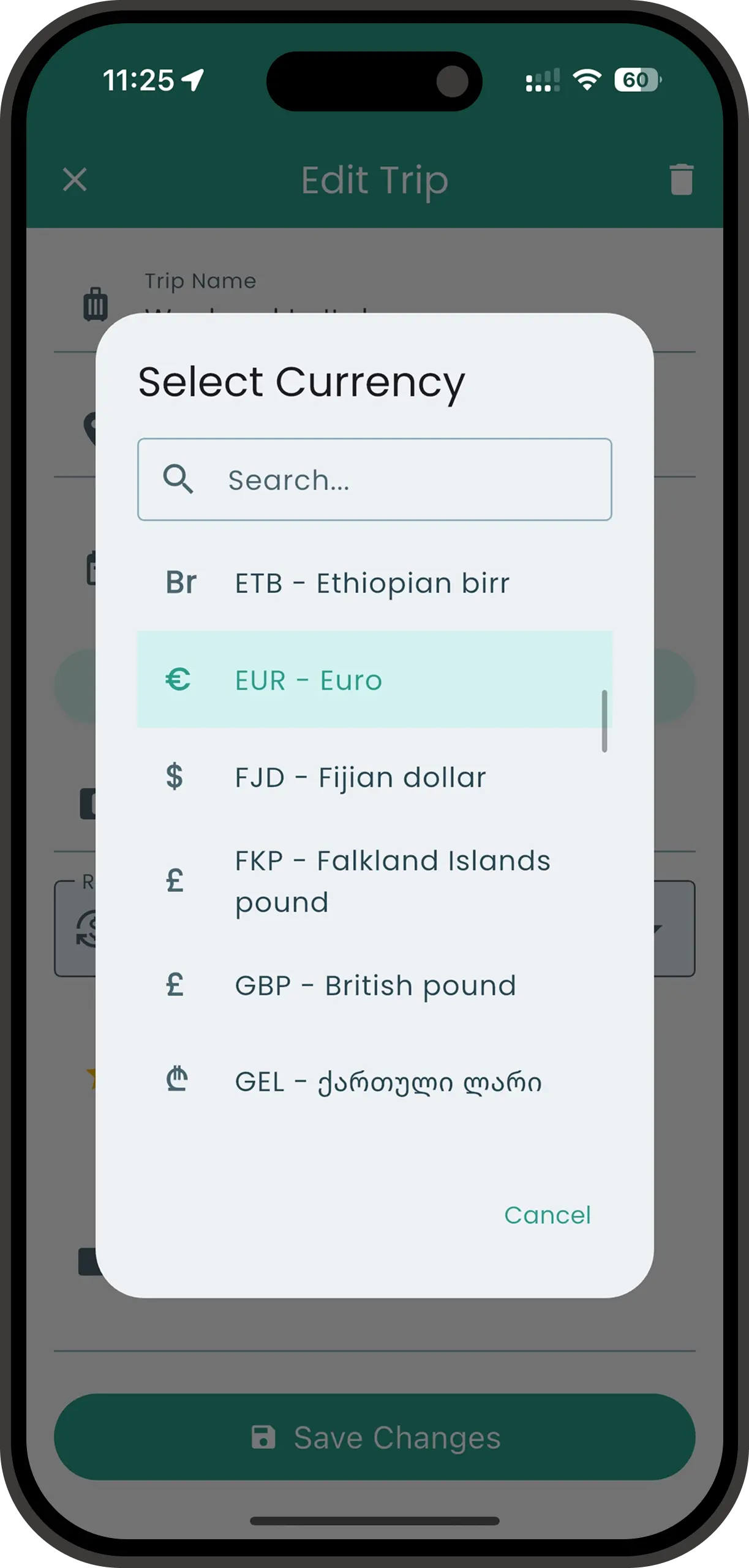
Give each trip the currency you think in (USD, EUR, GBP, etc.), your reference point for all budget decisions. New trips start in the currency set in Settings, and you can change a trip's currency anytime.
Log in Any Currency
Add expenses in whatever currency you're using locally. The app supports 150+ currencies. When you scan a receipt, the currency is detected automatically. When entering manually, simply select the local currency from the dropdown.
Automatic Conversion
As soon as an expense syncs, Spentrip saves it with the exchange rate for the day you paid, from daily reference rates published by central banks, and converts it to the trip's currency.
View in Either Currency
Every expense shows the amount you paid (1,850 yen) with its approximate value in the trip's currency (≈ $12.33). In reports, the Currencies tab breaks spending down by currency, and the currency filter shows a report in local money.
The entire conversion process is invisible and automatic. You never have to think about exchange rates, look up conversions, or do math. Spentrip handles everything automatically, letting you focus on enjoying your travels instead of managing numbers.
Why Multi-Currency Support Matters
Accurate Budgeting Across Countries
Set a trip budget in the currency you think in and track progress no matter what currencies you're spending in. See exactly how much of your €2,000 trip budget you've used when you're paying in yen, rupees, or pesos.
Rates From the Day You Paid
Exchange rates move every day. Spentrip saves each expense with the rate for the day you paid, not a pre-trip guess or an old screenshot of an exchange rate app, and the PDF expense report lists the rate it used for every expense.
Perfect for Multi-Country Trips
Traveling through Europe and spending in euros, pounds, francs, and krona? Backpacking Asia with baht, rupiah, dong, and yen? Spentrip seamlessly handles trips spanning multiple countries and currencies, consolidating everything in one report.
Eliminate Mental Math
Stop doing currency conversions in your head or reaching for a calculator. Spentrip shows you what everything costs in your trip's currency, so you can make spending decisions confidently and focus on enjoying your trip.
Multi-Currency in Action
European Tour: Four Currencies, Two Weeks
Linda travels from Spain (euros) through Switzerland (francs), Norway (krone), and the UK (pounds) in two weeks. Every country uses different currency, and exchange rates vary significantly — Swiss francs are expensive, Norwegian kroner moderate, UK pounds strong. Without multi-currency tracking, Linda would struggle to compare costs between countries. With Spentrip, all expenses convert to her trip's currency (USD), and the Currencies tab shows what she spent in each, revealing that Switzerland cost 40% more per day than Spain, helping her budget smarter on future trips.
Business Travel: Expense Reporting Made Easy
Carlos travels monthly for business across Asia — Singapore, Hong Kong, Tokyo, Seoul. His company requires expense reports in USD with exchange rate documentation. Previously, he spent hours manually converting currencies and explaining his methodology. Now he simply logs expenses in local currency using Spentrip, then exports a complete USD report with conversion rates for each transaction automatically documented. His finance team approves reports instantly, and Carlos saves hours of administrative work.
Long-Term Backpacking: Currency Chaos Solved
Tyler is backpacking around the world for six months, traveling through 20 countries on five continents. He sets a strict $9,000 budget for the trip, in USD. Throughout his journey, he spends in Thai baht, Vietnamese dong, Indian rupees, Turkish lira, euros, pounds, Brazilian reais, Chilean pesos, and more. Spentrip converts everything to USD, showing Tyler exactly how much of his budget remains regardless of what currency he's currently using. He stays perfectly on budget for the entire six months without ever opening a calculator app.
Frequently Asked Questions
How many currencies does Spentrip support?
Spentrip supports 150+ currencies from around the world, including all major currencies (USD, EUR, GBP, JPY, CNY, etc.) and many regional currencies. If you encounter an unsupported currency, let us know and we'll add it.
How accurate are the exchange rates?
Spentrip uses daily reference rates published by central banks and official sources. Each expense is saved with the rate for the day you paid. Converted figures in the app are close approximations, while PDF expense reports convert every expense at its own day's rate and list the rate they used.
Can I use the app offline for currency tracking?
Partly. Expenses you add offline keep the amount you paid in local currency, and Spentrip converts them as soon as you're back online, since conversion happens on our servers.
Can I change a trip's currency?
Absolutely. Open the trip and choose Edit to pick a new currency. Every total and chart for the trip switches to it, while each expense keeps the amount you paid. The budget keeps its number, so update it to match. New trips start in the currency set in Settings.
Join our growing community of travelers who enjoy their adventures without expense tracking headaches
Start your journey to stress-free travel expense tracking today